
Email deliverability: a guide for agencies doing outbound prospecting
Email deliverability in B2B prospecting: SPF, DKIM, and DMARC authentication, complaint thresholds, send pacing, and targeting so your messages reach the inbox.

In short
- A "delivered" email is accepted by the recipient's server. Landing in the inbox is different: only the second outcome matters for your pipeline.
- Authenticate your domain (SPF, DKIM, DMARC), keep complaint rates below 0.3% (Google tends to aim for 0.1%), and keep bounce rates below 2%.
- Scale volume gradually, on a steady cadence, from real agency mailboxes.
- In prospecting, the best shield for your reputation is relevance: the right target, the right contact, and a message built on a checkable observation.
Deliverability is the share of your emails that actually land in the inbox, not in spam or as a bounce. For an agency prospecting local small businesses, it hinges on three levers: a properly authenticated sending domain, gradual and steady volume, and above all messages the recipient has no reason to report. The third is the most overlooked: an email that talks about real flaws on a Lyon plumber's website gets read. A generic blast to a stale list gets reported.
Deliverability vs. delivery: why the distinction changes your results
The two terms are often confused, and sending tools keep the confusion alive. Delivery means the recipient's server accepts the message, whatever folder it ends up in. Deliverability is the message's ability to reach the inbox without landing in spam or being rejected.
The gap can be huge. A concrete example published by Bird: 990 messages accepted out of 1,000 gives a 99% delivery rate. If 300 of those accepted messages end up in spam, only 690 reach an inbox. Your dashboard shows 99%; your calendar stays empty.
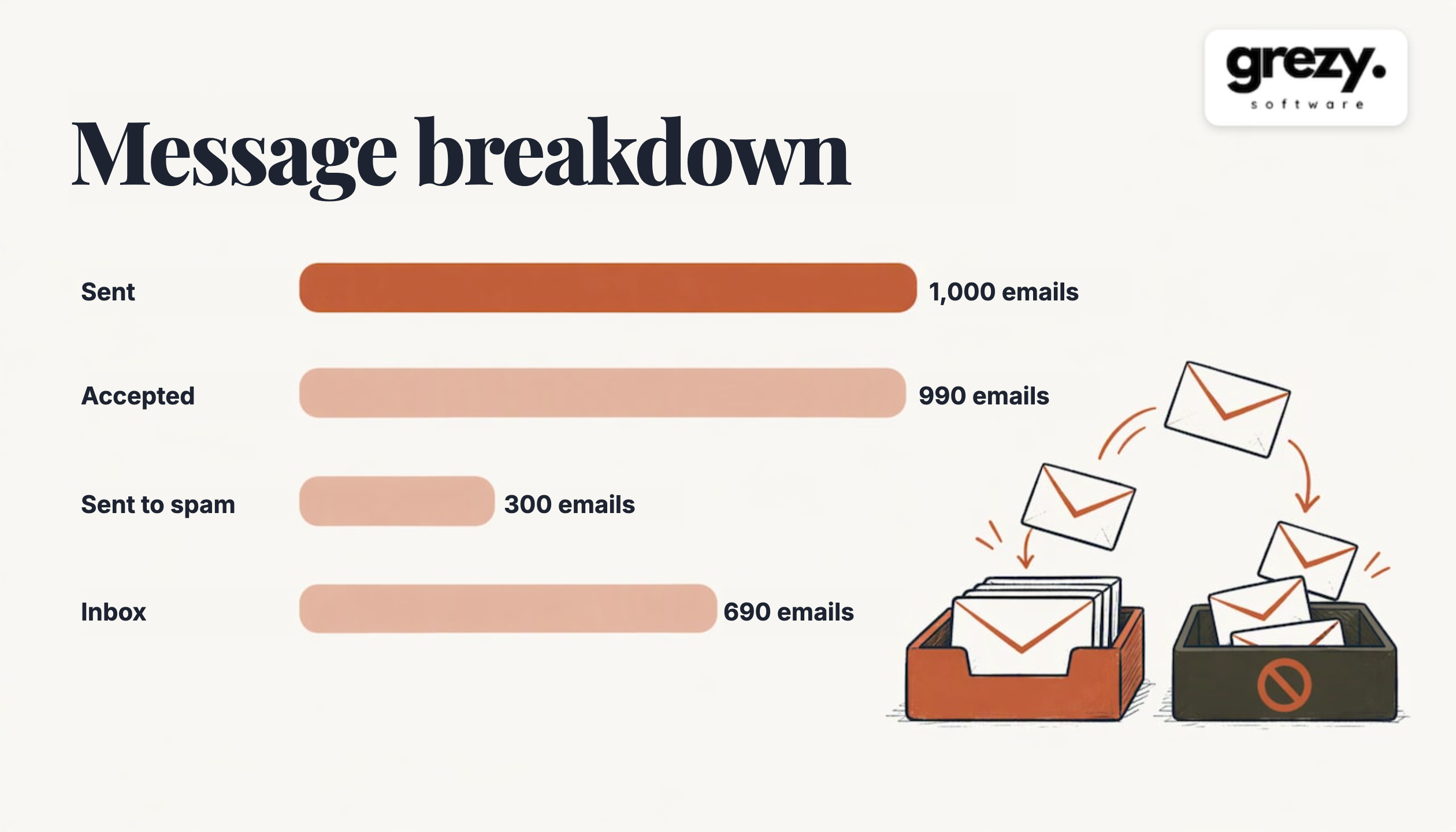
For an agency, the takeaway is simple. You cannot run prospecting on delivery rate alone. Look at what happens after send: replies, complaints, bounces, and how your domain looks to major mailbox providers.
How to measure deliverability
The formula and benchmarks to know
The classic formula is delivered emails divided by emails sent, times 100, bounces and errors excluded. Mailchimp puts a good rate between 95% and 99%. Remember this number measures acceptance, not primary inbox placement: it is not enough on its own.
The metrics that really matter, with thresholds from the Klaviyo help center:
| Metric | Calculation | Benchmark |
|---|---|---|
| Bounce rate | bounces / emails sent | under 1% is fine, above 2% needs attention |
| Unsubscribe rate | unsubscribes / emails delivered | under 0.3% |
| Spam complaint rate | complaints / emails delivered | under 0.05% |
Bounces fall into two types. A hard bounce signals an invalid address. A soft bounce means a full mailbox or an unavailable server. Brevo's guide recommends tracking both, plus complaints and unsubscribes.
Free tools from providers
Google offers Postmaster Tools, which shows your domain reputation and observed spam rate on Gmail. Google's guidelines ask you to keep that rate under 0.3%. On Microsoft, SNDS plays a similar role for dedicated IPs. Klaviyo suggests a simple rhythm: a weekly glance at these tools, a monthly placement test with seed addresses, a quarterly audit.
One watchpoint for agencies: Sinch Mailjet's "Road to the inbox" study finds that 70% of senders surveyed do not monitor reputation with mailbox providers. Checking these dashboards once a week already puts you ahead of most.
What Gmail, Yahoo, and Microsoft require today
Rules shifted in 2024. Gmail and Yahoo have enforced their requirements since February 1, 2024, and Microsoft announced similar standards on May 5, 2025, according to Brevo's help center. They apply regardless of sending tool, including your Google Workspace or Microsoft 365 mailboxes.
Three acronyms to master, one sentence each:
- SPF: a DNS record listing servers allowed to send mail on behalf of your domain.
- DKIM: a cryptographic signature on each message proving it came from your domain and was not altered.
- DMARC: a policy telling providers what to do when SPF or DKIM fail, and sending you reports.
For Gmail, all senders must set up SPF or DKIM. Bulk senders must set up SPF, DKIM, and DMARC; the DMARC policy can stay at "none" at first, per Google's guidelines. The bulk sender threshold is 5,000 messages per day, counted at the parent domain: Brevo notes that 2,500 emails from your domain and 2,500 from a subdomain count together. Without DMARC, mail to Microsoft recipients may be flagged as spam or rejected.
An agency prospecting with a handful of mailboxes sits well below 5,000 messages per day. Still, configuring all three records from day one costs about an hour and keeps filters from penalizing you, since they weigh authentication even at small volume.
Two sending-address details: an address at @gmail.com or an unauthenticated domain risks rejection, and one-click unsubscribe is required by Gmail and Yahoo for bulk marketing sends, per Egressif's provider rule tracker.
Why your prospecting emails land in spam
Causes group into five families, as Brevo details: sending address, content (HTML, subject, links), sender reputation, complaints, and engagement.
Domain reputation, the score providers assign over time, builds on behavioral signals:
- Consistency. Sending too rarely hurts reputation, and volume that spikes after a long pause can alert providers.
- List quality. Invalid addresses create bounces; outdated ones sometimes hit spam traps.
- Complaints. Every "Report spam" click weighs heavily, far more than a simple non-open.
- Engagement. Replies and clicks tell providers your mail is wanted. Yet only 15% of senders in the Mailjet study cite engagement as a way to improve reputation, per the French summary.
That same summary highlights costly habits: nearly 40% of respondents rarely or never clean their lists, and nearly one in ten bought lists or scraped addresses in the last two years. Local prospecting makes buying a "10,000 tradespeople" database tempting. The outcome is predictable: bounces, complaints, a damaged domain.
The framework for B2B prospecting in France
In France, cold email to professionals is allowed without prior consent if the message relates to the recipient's business and they can easily opt out. Lawyers summarize this as regulated B2B opt-out. In practice, offering a site audit to a restaurant owner fits their activity. Every unsubscribe request is handled promptly, and that person must not be contacted again.
It is not only legal hygiene: honoring unsubscribes avoids spam complaints. A clear unsubscribe link or line protects reputation as much as compliance. If you are unsure about a specific case (purchased list, personal contacts), ask a lawyer or the CNIL (France's data protection authority).
An agency sending routine, step by step
1. An authenticated sending domain
Configure SPF, DKIM, and DMARC on the domain you use for prospecting. Verify all three pass before the first send: one typo in a DNS record can invalidate everything. Remember subdomains share the parent domain's bulk sender counter.
2. Real mailboxes with history
Favor agency inboxes you already use daily, with genuine back-and-forth. A brand-new address sending 200 messages on day one looks like a spammer. For a dedicated address or IP, Brevo describes warm-up: steady cadence with gradual volume increase.
3. A focused, up-to-date list
Trade, city, named contact, verified address: the tighter the list, the fewer bounces. This is where sourcing tool choice affects deliverability, not just lead volume. A list frozen for two years holds closed sites and departed owners.
4. A message grounded in a verifiable fact
Providers do not read your copy with a sales eye, but they measure what recipients do: reply, click, delete immediately, report. A message citing a checkable issue (slow site, no ads, thin Google reviews) gets more replies than "we help businesses grow." Avoid gimmicky subject lines, attachments, and shortened links.
5. Waves, not spikes
Send little, often, across several days. A steady weekly rhythm beats one massive blast followed by three weeks of silence. Watch bounces from the first wave: if the rate exceeds 2%, pause and clean the list before continuing.
6. Weekly monitoring
Check Postmaster Tools, count complaints and bounces, and remove immediately anyone who unsubscribed or bounced. The thresholds in the table above are your guardrails.
Where AutoLeads helps the agency
AutoLeads, Grezy's prospecting tool, covers steps 3 through 5 of this routine. The agency picks a trade and city, for example "plumbers in Lyon." The tool finds those businesses in real time on the web and Google Maps, then audits their online presence: outdated or slow site, weak SEO, no advertising, Google reviews, social profiles. Each lead is enriched with contacts (owner, email, phone, LinkedIn when found), and AutoLeads drafts an email and LinkedIn sequence built on the issues flagged.
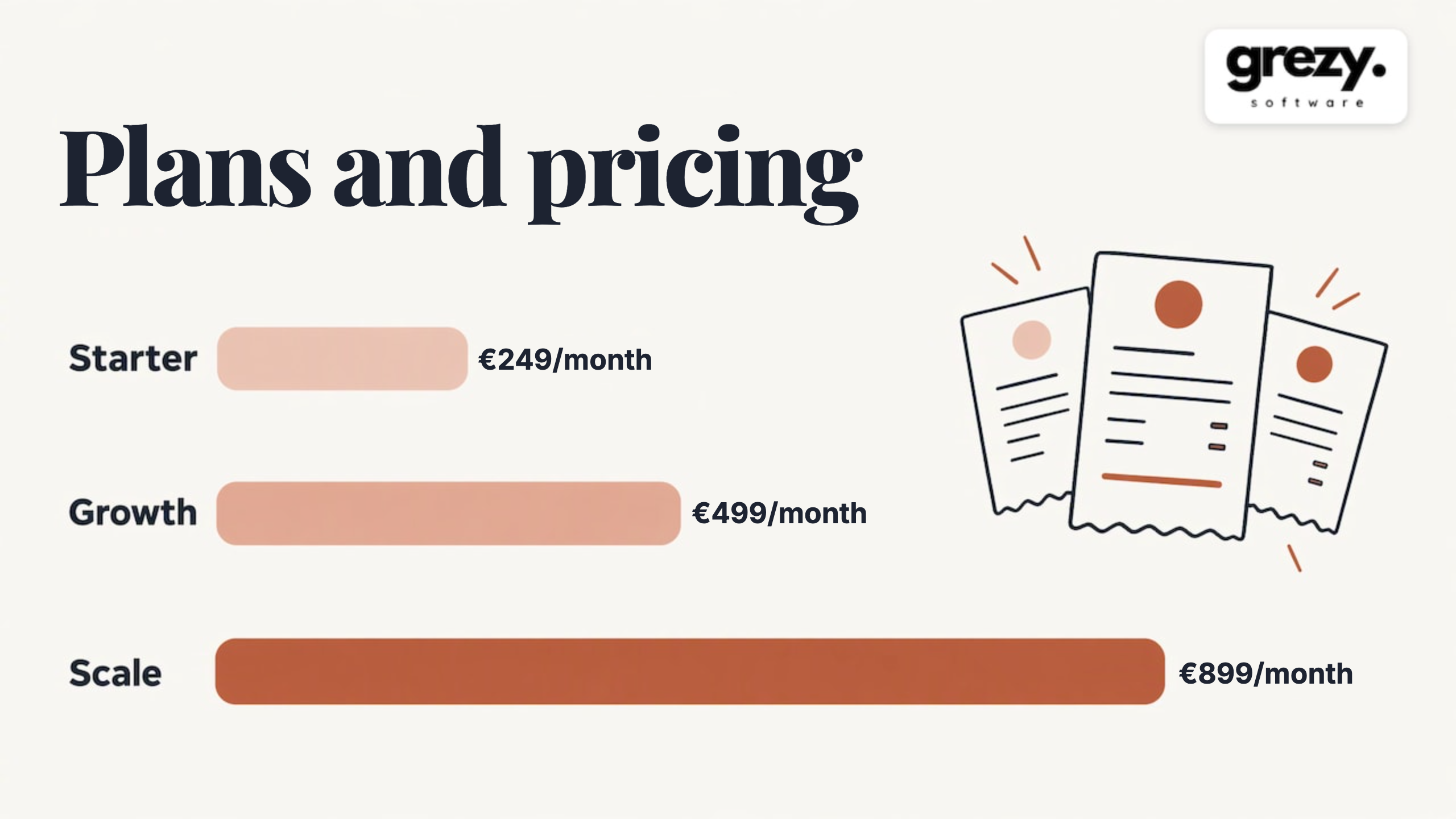
Sends go out in weekly waves from the agency's mailboxes and accounts, or push to HubSpot or CSV export. Replies land in a built-in CRM as tasks, so you can handle responses and unsubscribe requests quickly.
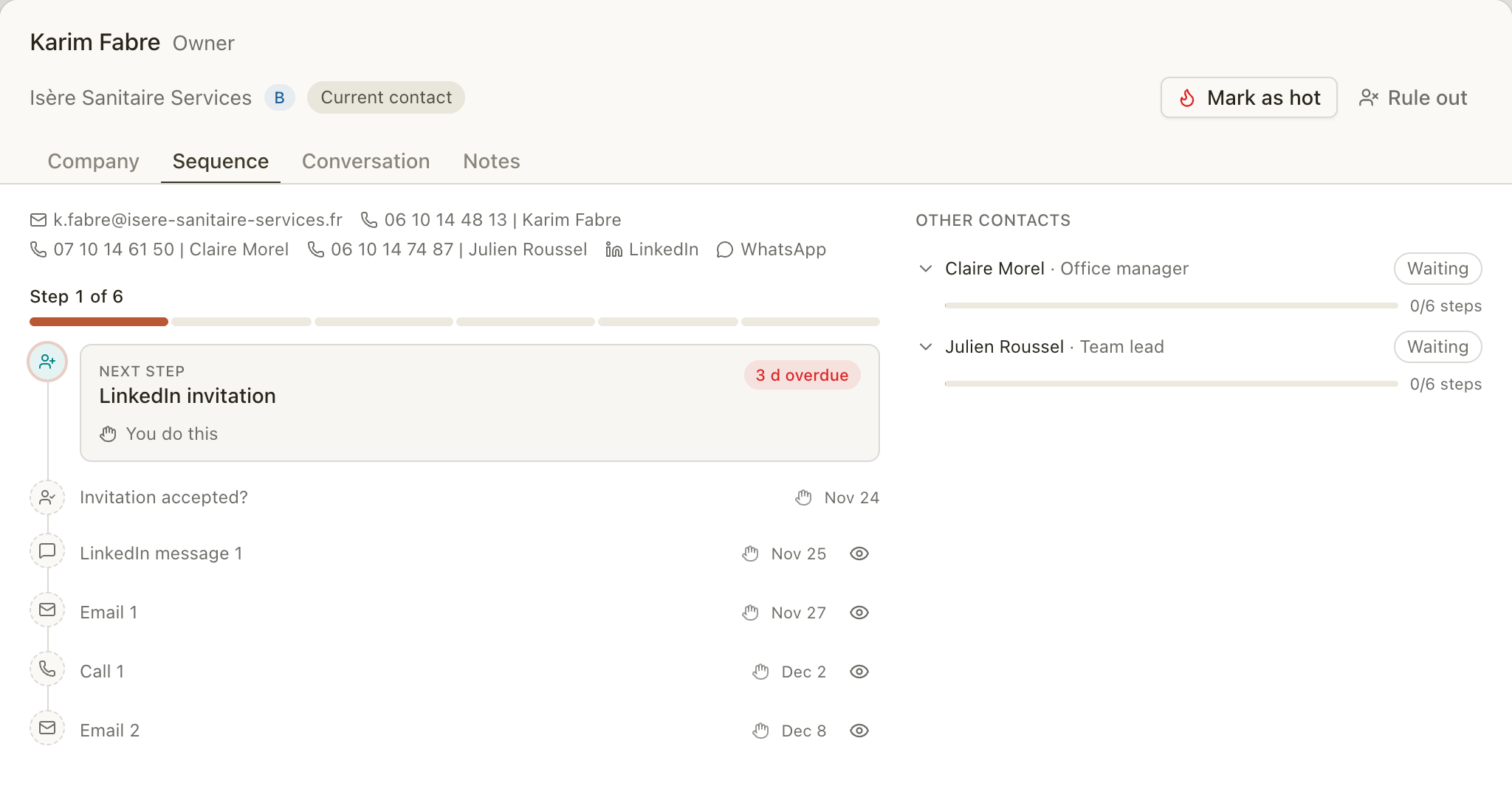
Published plans are Starter at €249 per month, Growth at €499 per month, and Scale at €899 per month, plus an optional "We call for you" service with no published price. See them on the AutoLeads plans page.
Our view
When an agency tells us "my emails go to spam," we rarely open DNS first. We look at the list and the message. A well-authenticated domain does not save an email to the wrong person on a topic that does not concern them.
That is why AutoLeads starts from visible need: we find local businesses trade by trade and city by city, audit their site, SEO, advertising, and Google reviews, then write a message grounded in what we found. The recipient gets a diagnosis that concerns them, not a template mailed to an entire list.
Our belief: sustainable prospecting relies on sends from the agency's real mailboxes, in weekly waves, to enriched, current contacts. It is less flashy than a 5,000-email blast, and it protects your domain reputation month after month.
Tom
Frequently asked questions
Sources
- Brevo: What is email deliverability?(opens in a new tab) accessed November 20, 2026
- Brevo: Best practices for email deliverability(opens in a new tab) accessed November 20, 2026
- Brevo: Meeting Gmail, Yahoo, and Microsoft sender requirements(opens in a new tab) accessed November 20, 2026
- Gmail Help: Email sender guidelines(opens in a new tab) accessed November 20, 2026
- Klaviyo: Monitoring email deliverability(opens in a new tab) accessed November 20, 2026
- Mailchimp: Email deliverability(opens in a new tab) accessed November 20, 2026
- Bird: What is email deliverability(opens in a new tab) accessed November 20, 2026
- Sinch Mailjet: Road to the inbox (2025)(opens in a new tab) accessed November 20, 2026
- Mailjet: Deliverability in 2025, inbox placement outlook(opens in a new tab) accessed November 20, 2026
- Egressif: Email provider sender rules(opens in a new tab) accessed November 20, 2026
- Village de la Justice: B2B email prospecting and opt-out(opens in a new tab) accessed November 20, 2026